


TLDR; We’ve overhauled an old tool to produce a new way to help you optimise content for user expectation, based on identifying recurring phrases from the context of backlinks found in your organic link profile. Introducing N-grams Near Links – a huge update to the tool formerly known as Keyword Generator.
Imagine, for one moment, a world with no search engines, no LLM chat-bots, but with a living, thriving world wide web.
It’s all too easy in SEO to lose the value of a link. But in this alternative universe, links would be king. They would be how you discover new sites, new perspectives and new information. Links would have value for the human surfer. They would be the source of qualified referral traffic.
How then, in this alternative world, a world where links are valued for the asset they are, would humans navigate? As an SEO, it’s easy to think about URLs and anchor text. And they are important. However, as a human, do we rely on anchor text? Or do we instead look at links in the context of a wider document?
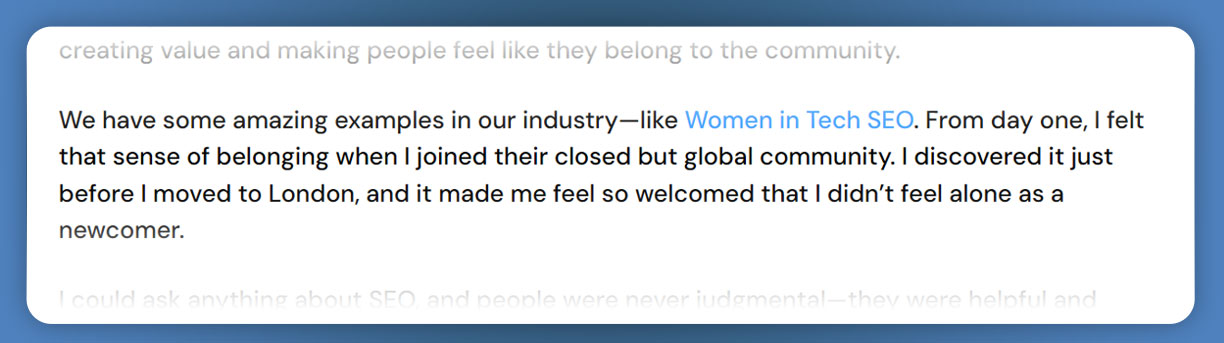
This paragraph from an interview with Yagmur Simsek by Gianluca Fiorelli captures what a quality link looks like. The link is in context, relevant to the wider article and supported within the body of the text.
We can highlight some of the key phrases that Yagmur uses to describe the group:
[Our industry], [Sense of belonging], [Joined], [Global Community], [didn’t feel alone], [newcomer]These key phrases set the readers expectation of what the link will deliver when you click on it.
As an SEO in 2026, it’s reasonably well established that delivering a good user experience is a key part of site optimisation. So – should we be looking out for signals like these key phrases? Could they give us hints as to the expectation of the user, and how do we best process these signals to give suggestions as to how we can deliver content that satisfies this expectation?
Here at Majestic, we’ve been capturing the context of links for some years. Our Link Context reports on many aspects of source pages, and has a valuable collection of the context of your backlinks that goes beyond the dry backlinks list found in many SEO tools.
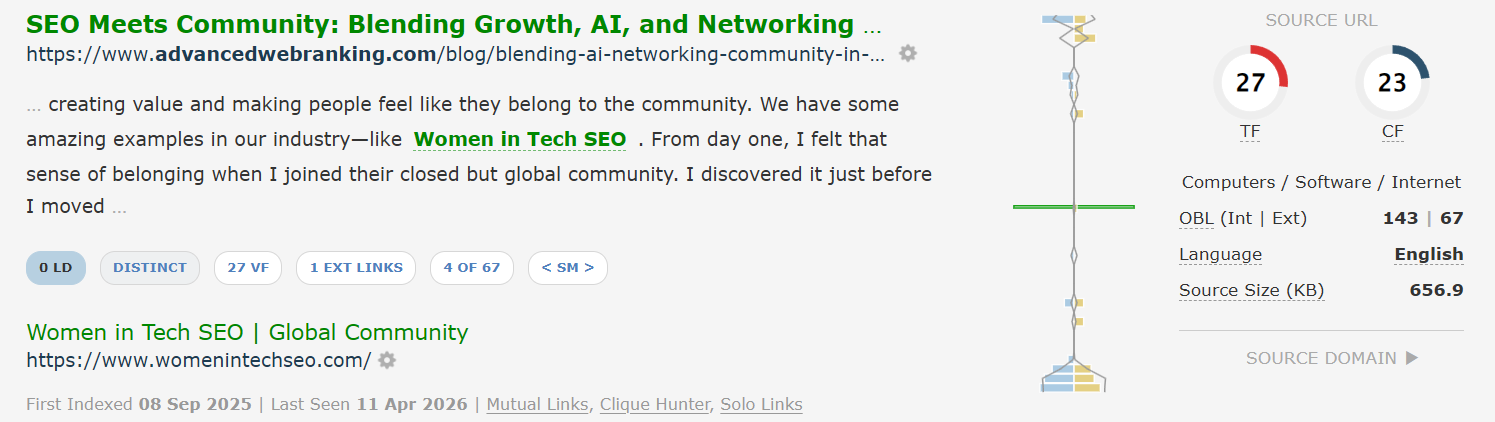
One approach to capturing key phrases that define user expectation could be to manually review the link context report in Majestic. You could then pick out the key phrases and count how many times they turn up.
But this would be a bit of a bind.
However, we’ve done the work. Back in 2020 we released “Keyword Generator” .
Keyword Generator – Our first attempt at highlighting key phrases near content.
Keyword Generator was a tool which extracted recurring key-phrases from Link Context data for sites of interest. You could enter a site, or collection of sites to create a report.
The report consisted of a long list of key phrases found in Link Context data – that is in the content immediately surrounding an outgoing link. An example of the key phrases identified for WomenInTechSEO follows:
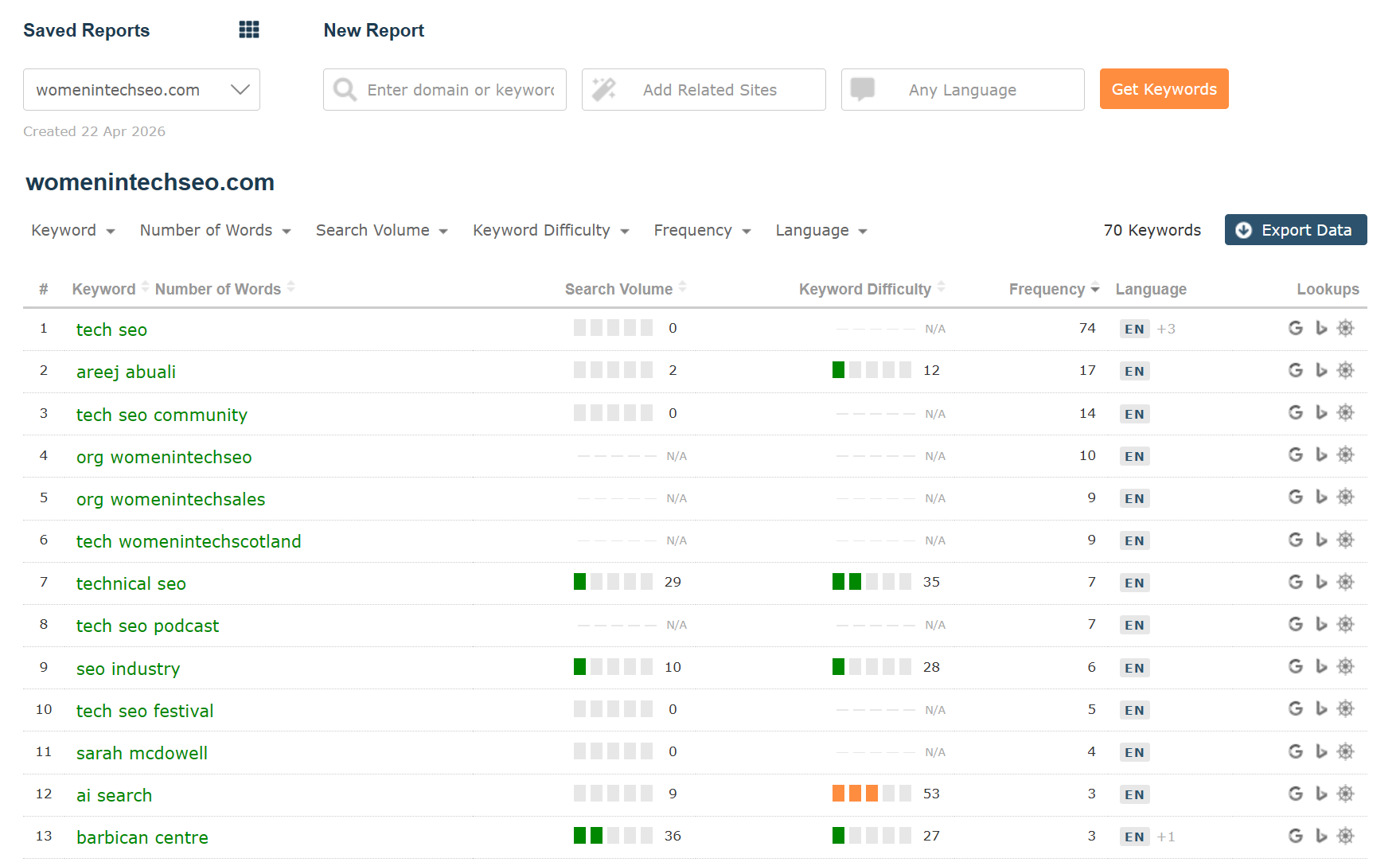
The report WomenInTechSEO site shows a list of phrases, including some notable individuals like the founder, Areej Abuali and popular podcaster, Sarah McDowell, co-host of “SEO Mindset”. The full list runs to 70 entries at time of writing.
However – it’s fair to say that while the Keyword Generator gained some interest, it failed to capture widespread adoption. We talked it through with customers, influencers and the SEO community, and learned a few lessons.
Data was not sourced from Search Engines
Firstly, and most obviously, the field of keyword research has become synonymous with search engines. Our keyword generator did not get its data from search engines. Instead it used AI to extract key phrases from Link Context data. That raised false expectation and unnecessarily increased the complexity of introducing a feature. It’s rarely a good idea to give a product an uncanny name.
Hard to connect keywords to real-life backlinks
Another problem was somewhat ironic. We took our eye off the association of these key phrases with backlinks. It was difficult to access the information to tell you where these phrases were used near outbound links, and equally as challenging to find the pages on site which benefit from this cloud of key phrases. That’s a bit of a fail from a company that prides itself on being a backlinks specialist.
Domain-only results
As you can imagine, there is a lot of noise when you look at aggregated Link Context data. Our original Keyword Generator algorithm methodology meant that individual URLs frequently did not have enough quality recurring results to justify the resources required to create a report.
We’ve fixed that. You can now search for individual URLs.
Keyword Generator has had an overhaul. We’ve renamed it, and added the map to link data you’ve said was missing.
Introducing N-grams Near Links.
N-grams is a technical name for patterns of recurring words in a wider body of text. It’s a bit technical, but at the same time captures what the tool does and delivers, more accurately than its former title.
The Majestic N-grams Near Links tool works a little bit like Google’s Ngram Viewer. A critical difference is that Majestic extracts its n-grams from our own Link Context information, whereas Google uses books.
Both tools find and report on the frequency of different key phrases from their selected body of works.
Reports for N-grams Near Links are generated in much the same way as reports in Keyword Generator. You can choose to generate a report for a single site, or for multiple sites. One difference – the new tool also gives you the option of targeting individual URLs. Obviously, you will generate a smaller result-set than domain-level targets, but this can be useful when you want to focus on critical pages with lots and lots of backlinks.
Here’s what you get when you generate a report for a single site or URL. Here are the most common n-grams that exist near fresh links to the domain majestic.com.
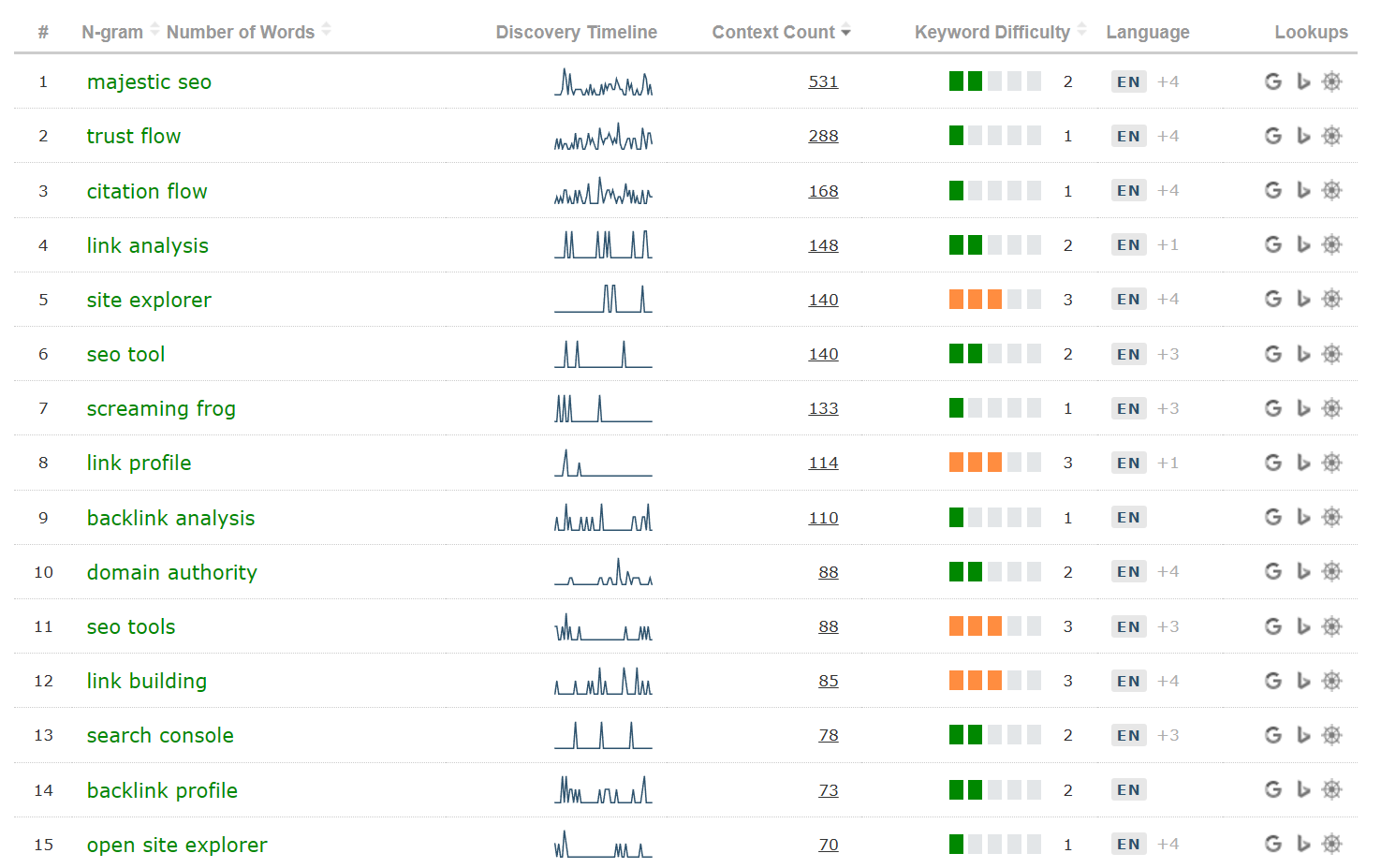
Let’s go through each column
- N-gram. These are the phrases and keywords found near links to your chosen website(s) or URL(s).
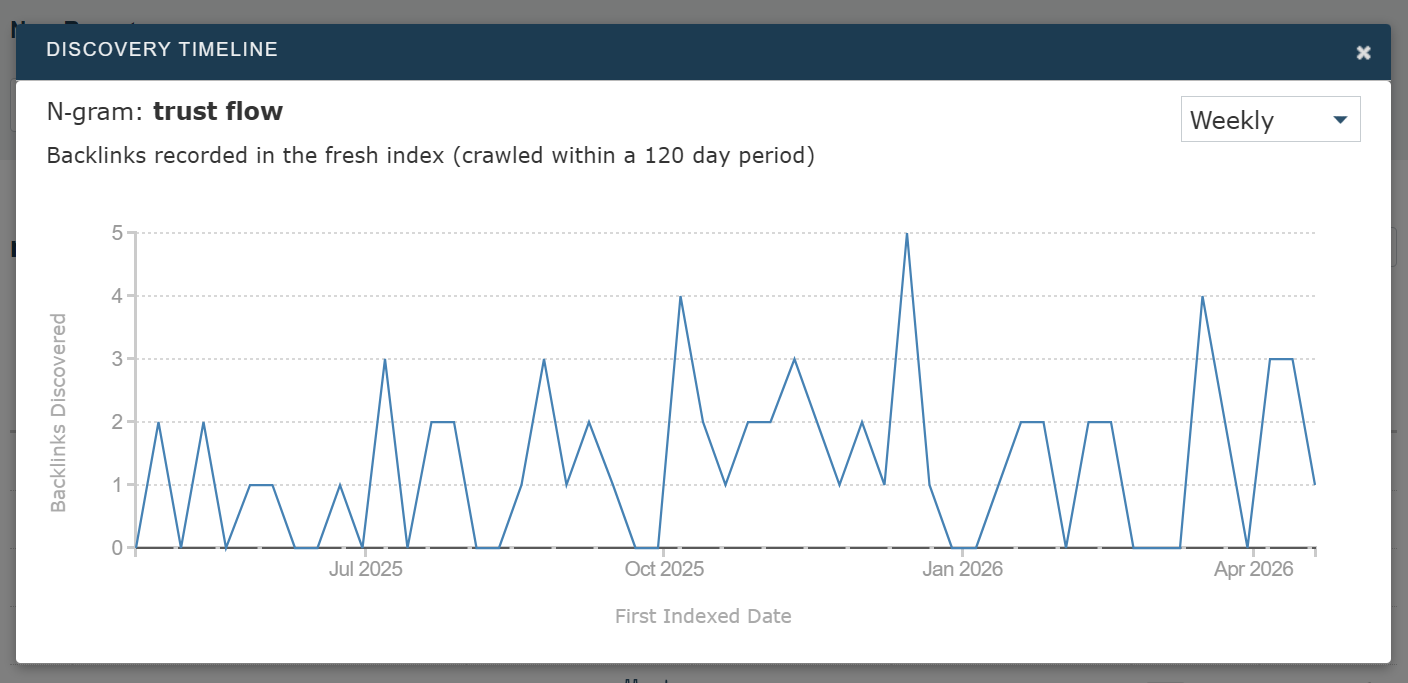
- Discovery Timeline. This shows when we found the links pointing to the website that are near the given key-phrase. It is most effective where there is a high volume of data. This can be useful for sites with lots of links who deal with emergent fields, or when multiple sites are entered into the “N-grams Near Links” tool for analysis. Click on the sparkline to open a window with a more-detailed version of the graph.
- Context Count. This is the number of times the n-gram appears near a link to your target site or URL. When you search for more than one site (see below), this is broken down by site.
- Keyword Difficulty. This is a 1-5 score. It’s on a 1-5 scale to indicate that it’s an approximation. Unlike SERP-based keyword difficulties, this score is calculated by looking at link-related measures for this n-gram item. We look at how many URLs, title tags or anchor texts the n-gram features in. The aim is to find how much effort has gone into creating and ranking content for this n-gram – not whether a given search engine finds that effort relevant or not.
- Language. This reports on the most visible languages of the source pages where the links were found. Hovering on the column will show how many of the total pages the link was found on.
- Lookups. These pass the n-gram into other tools or services. Currently, Google, Bing and Majestic Search Explorer are supported.
Investigate the data
There a number of places where you can click through to expand on the data.
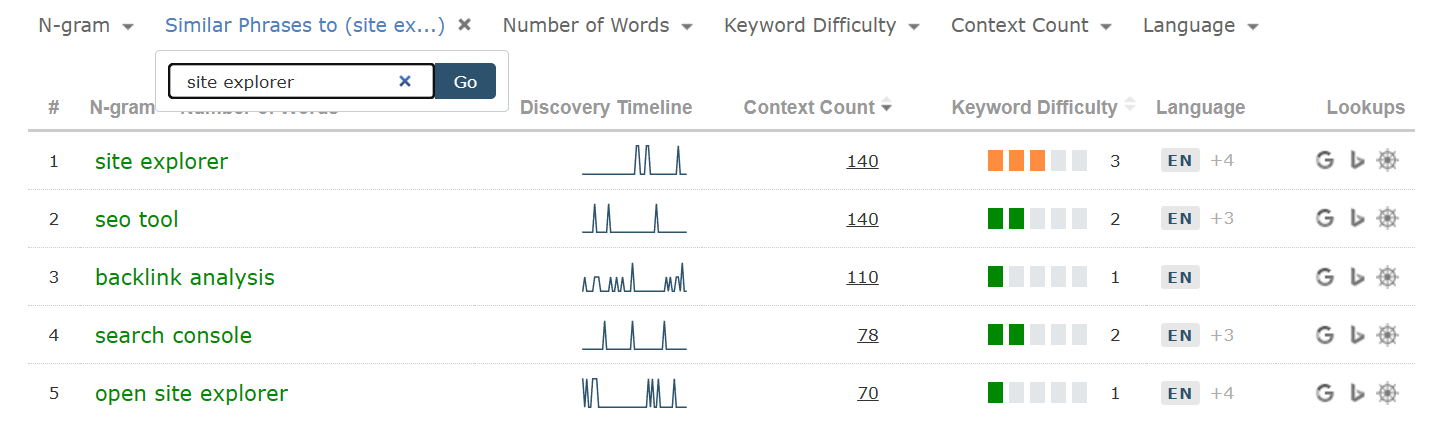
Click on a single n-gram for Similar Phrases
When you click on a green-coloured n-gram (for example, “site explorer”), that n-gram is used as a filter to reduce the rows down to similar key phrases from the same data set.
Click on a Discovery Timeline for an interactive, close-up view
Click on a Context Count for URLs
Shows the source pages where the key phrase is near the link, as well as the source page where the link appears.
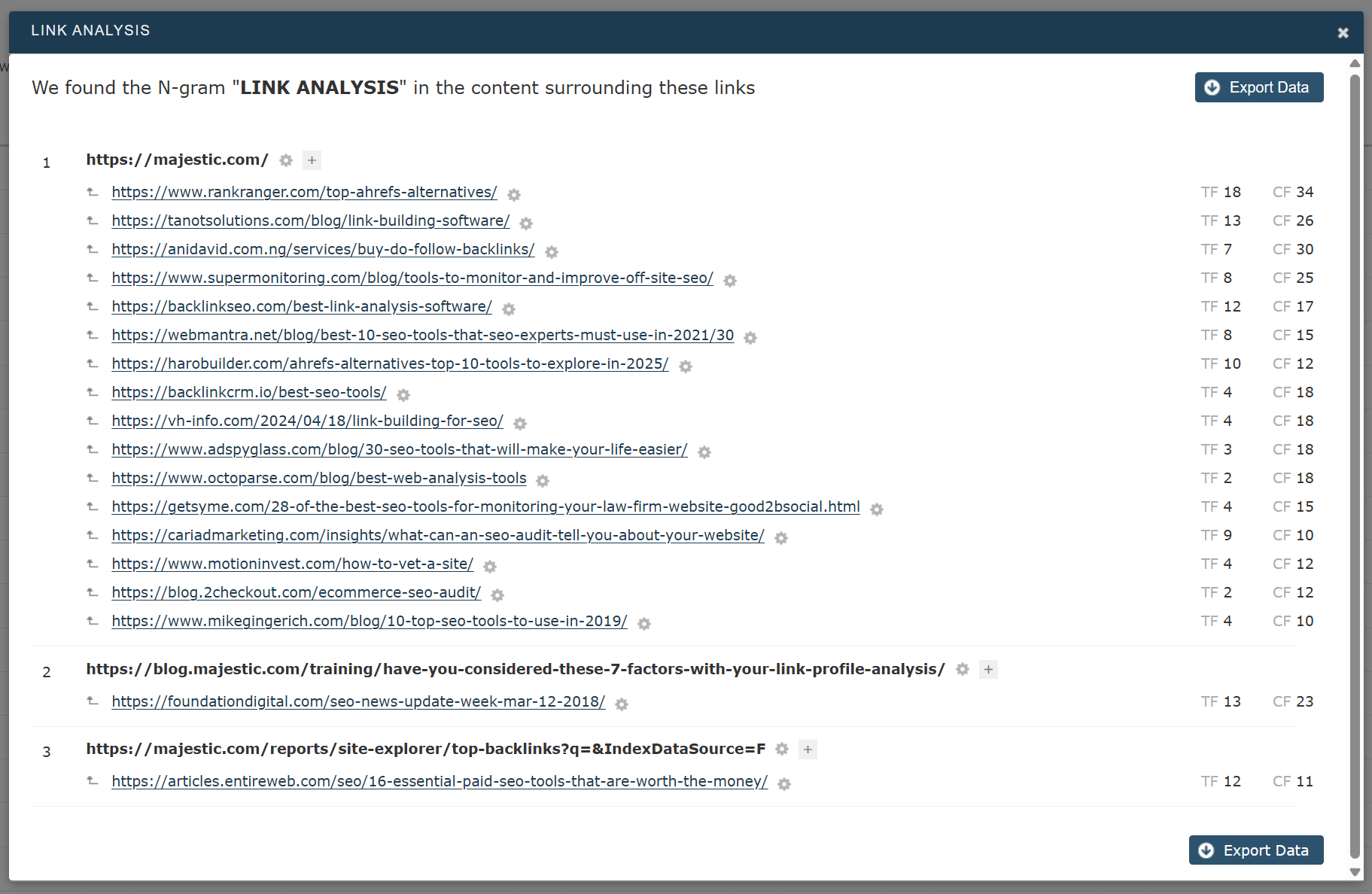
You can click these links to immediately jump to the entire Link Context section. This will show where the specific n-gram appears near your site’s link on that specific source page.
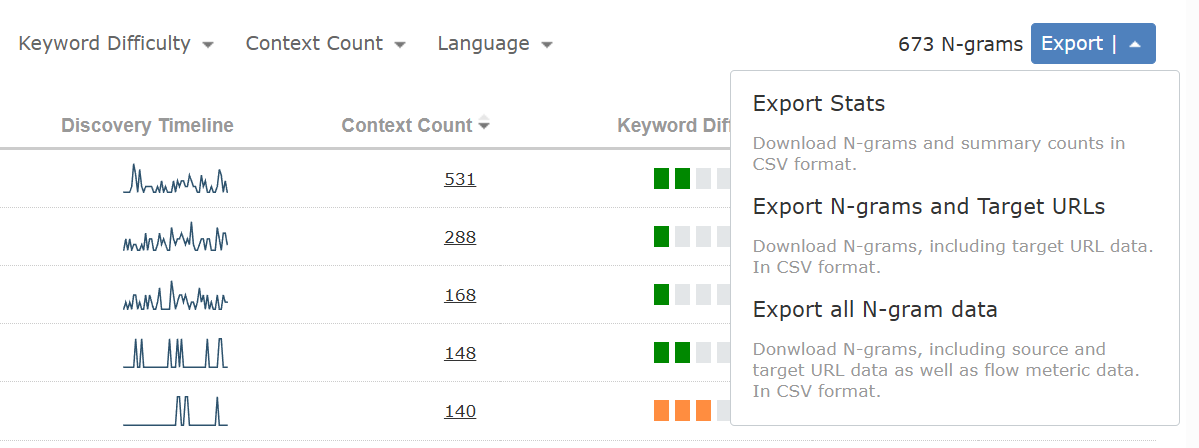
Click to Export
If you would like to download your n-grams for offline processing, you can select the Export button to download a variety of different data views in CSV format.
Multiple Sites
A feature we’ve retained from Keyword Generator is the ability to pool together a collection of websites for analysis. This helps you spot gaps in the recognition of content ideas. What ideas are mentioned in links to the sites of your competitors that you may not rank for? Or, if you have a number of sites, you can pool n-gram research to look for places where content rationalisation could be of benefit.
Creating a report across more than one site is easy. Just add more sites before creating the report…
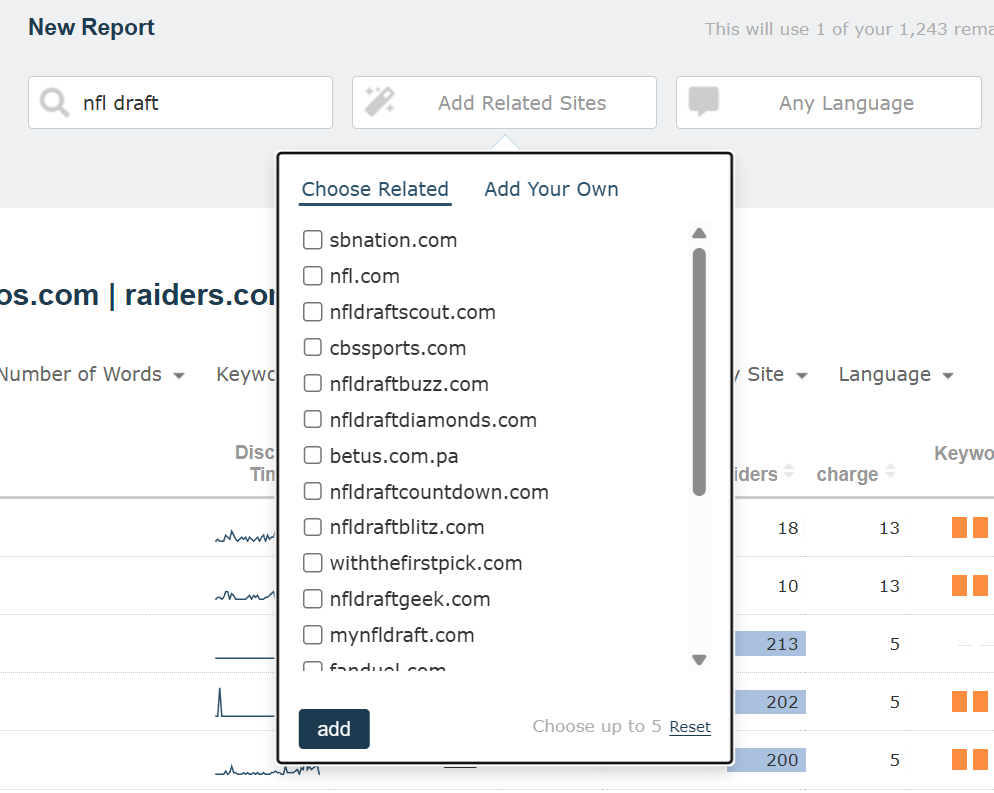
First, enter the first target site, then tab (or use the mouse) to choose “Add Related Sites”. If the site(s) you want to add are in the drop down, just tick the relevant checkboxes, or alternatively click “Add Your Own” to type in other sites.
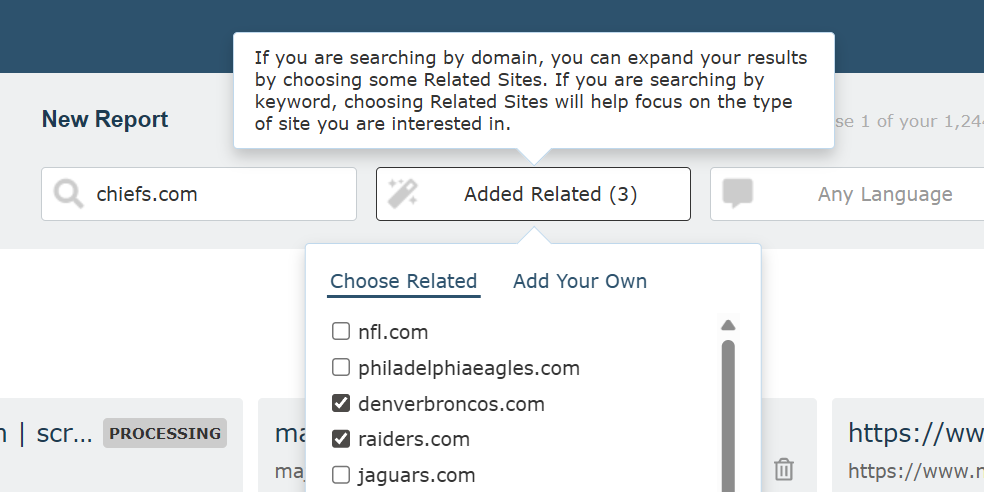
You can use “Add Your Own” to add a selection of manually entered websites. The sool supports up to 4 additional sites, bringing the total count to five websites. Once you’ve selected your websites, click the “Extract N-grams” button to generate your report!
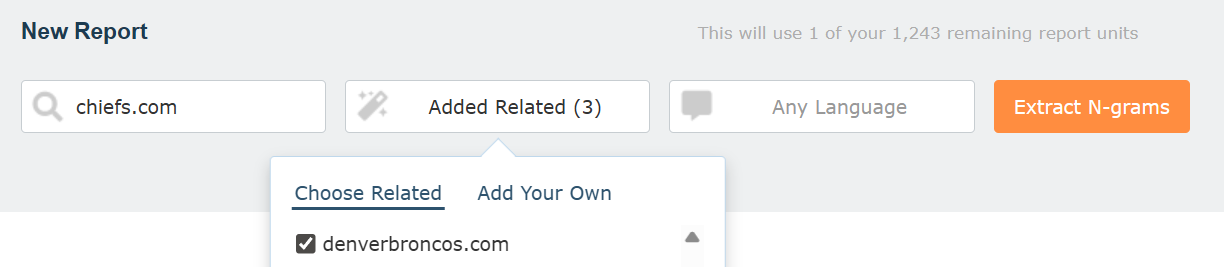
Alternatively, if you are not sure which sites to use, you can add a keyword term to the seed domain box. The tool will return the top related sites for that word or phrase.
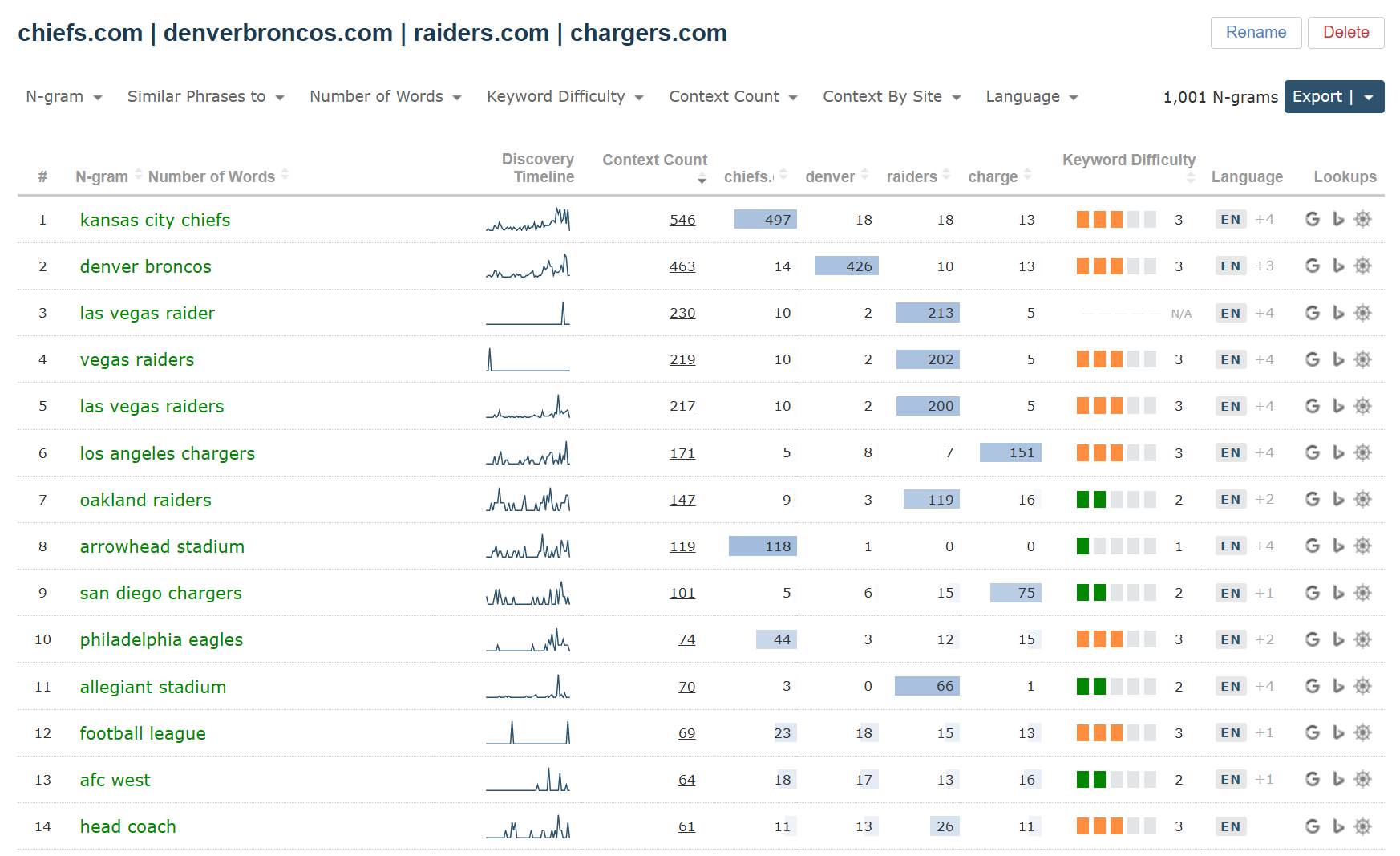
More Sites = More Columns
With additional sites comes more data columns. Instead of just a single Context Count field, you also see the breakdown of each n-gram across all of the websites in your query. Perfect for getting a birds-eye view of which n-grams appear most often (and least often) near links to each of your individual domains.
Deprecated Keyword Generator data columns
We’ve removed some legacy Keyword Generator data columns to focus on source and target URLs. We’ve also taken this opportunity to reflect on the current implementation of keyword difficulty and search volume.
Search Volume
With the refocus on link based data, we’ve retired Search Volume from this tool. As a backlinks specialist we would rather place emphasis on our speciality and leave others to report on SERPs and traffic estimations. Additionally, the 0-100 scale for search volume caused confusion in some quarters.
Keyword Difficulty
Also, Keyword Difficulty has changed from a 0 to 100 score, to a 0 to 5 rating. Keyword difficulty has always been approximate in nature, and we felt that the 0 to 100 score made it look too precise.
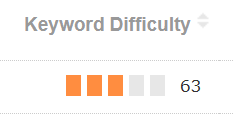
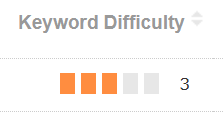
If you miss the old Keyword Generator report columns, you can bring back some of the older data by using a check box at the bottom of each new N-grams Near Links report:

N-grams Near Links is available right now
If you’re a subscriber (all tiers), you can give N-grams Near Links a try right now. Each list you generate will use one of your Report Units, these units are shared between our advanced and standard reports, and campaign items. The exact number of report units you have each month is linked to your plan level and may be found on your My Subscription page.
We would love to know how this change helps you achieve more in Majestic, and also welcome feedback on how we can enhance N-grams Near Links to better suit your needs. Our Customer Success team would welcome your thoughts via the contact form.
If you have never subscribed to Majestic before, why not give us a try? We firmly believe that we have some of the best-priced plans in the SEO and Digital Marketing industry. Brand-new LITE or PRO customers (who have never subscribed before) are eligible for a 7-day money back guarantee.

- Master Backlink Analysis with Link Density Charts - July 30, 2026
- N-grams Near Links: Identify recurring phrases in the context around your backlinks - April 29, 2026
- TLD Checker – New for 2026 - February 26, 2026